A new feature added to Discord recently is Threads, these allow you to break off a message into a different "channel", without creating a whole new channel. There are also other types of "thread channels", one example being a forums channel. This type of channel only contains threads, meaning you can't send messages in it so if you want to make one of them, be careful about trying to send a message in it!
In this tutorial, we'll be going through:
- How to create a thread.
- How to loop through all the active threads in a server (and sending a message in one).
- How to lock a thread (editing threads).
First, let's go through creating a thread.
#include <dpp/dpp.h>
int main() {
bot.thread_create("Cool thread!", event.command.channel_id, 60, dpp::channel_type::CHANNEL_PUBLIC_THREAD, true, 0, [event](const dpp::confirmation_callback_t& callback) {
if (callback.is_error()) {
event.reply("Failed to create a thread!");
return;
}
event.reply("Created a thread for you!");
});
}
});
bot.global_command_create(
dpp::slashcommand(
"create-thread",
"Create a thread!", bot.me.id));
}
});
return 0;
}
The cluster class represents a group of shards and a command queue for sending and receiving commands...
Definition cluster.h:89
std::string get_command_name() const
Get the command name for a command interaction.
Represents an application command, created by your bot either globally, or on a guild.
Definition appcommand.h:1436
std::function< void(const dpp::log_t &)> DPP_EXPORT cout_logger()
Get a default logger that outputs to std::cout. e.g.
auto run_once()
Run some code within an if() statement only once.
Definition once.h:41
@ st_wait
Wait forever on a condition variable. The cluster will spawn threads for each shard and start() will ...
Definition cluster.h:72
interaction command
command interaction
Definition dispatcher.h:789
Session ready.
Definition dispatcher.h:1072
User has issued a slash command.
Definition dispatcher.h:806
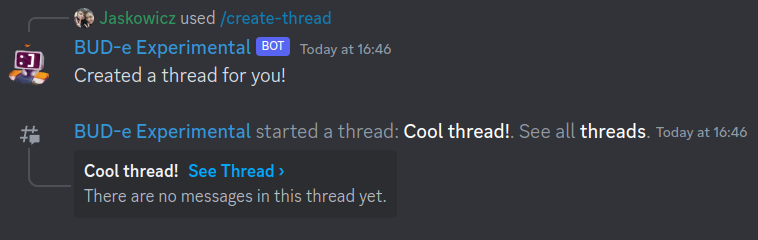
If all went well, you'll see that the bot has successfully created a thread!
Now, let's cover looping through all the threads in a server. For this demonstration, we'll be picking the first thread we find in the list and sending a message in it.
#include <dpp/dpp.h>
int main() {
bot.threads_get_active(event.command.guild_id, [&bot, event](const dpp::confirmation_callback_t& callback) {
if (callback.is_error()) {
event.reply("Failed to get threads!");
return;
}
auto threads = callback.get<dpp::active_threads>();
dpp::snowflake thread_id;
for (const auto& _thread : threads) {
thread_id = _thread.first;
break;
}
bot.message_create(dpp::message(thread_id, "Hey, I'm first to message in a cool thread!"), [event](const dpp::confirmation_callback_t& callback2) {
if (callback2.is_error()) {
event.reply("Failed to send a message in a thread.");
return;
}
event.reply("I've sent a message in the specified thread.");
});
});
}
});
bot.global_command_create(
dpp::slashcommand(
"message-thread",
"Message a thread!", bot.me.id));
}
});
return 0;
}
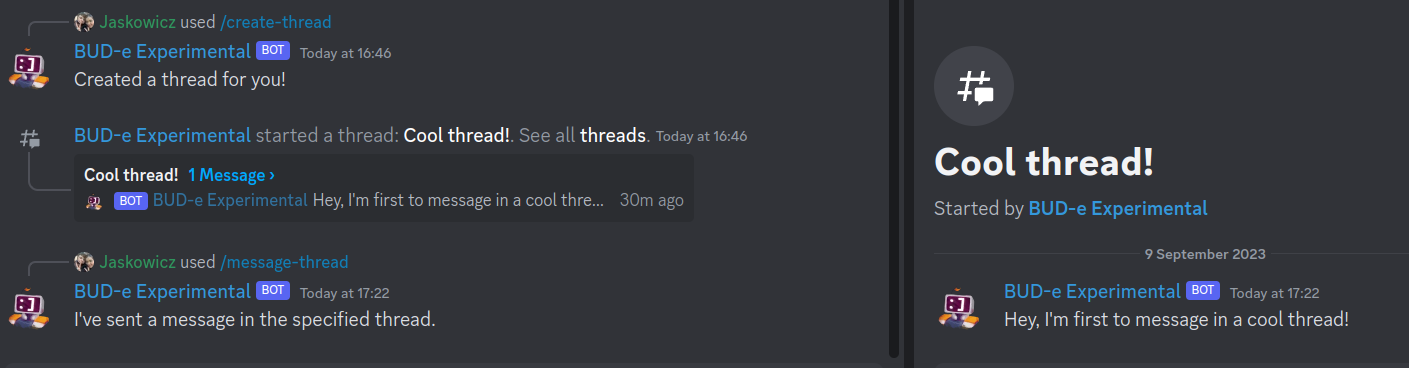
After that, you'll be able to see your bot send a message in your thread!
Those of you who are familar with sending messages in regular channels may have also noticed that sending messages to threads is the same as sending a general message. This is because threads are basically channels with a couple more features!
Now, we're going to cover how to lock a thread! With this, you'll also learn how to edit threads in general, meaning you can go forward and learn how to change even more stuff about threads, as much as your heart desires!
#include <dpp/dpp.h>
int main() {
bot.thread_get(event.command.channel_id, [&bot, event](const dpp::confirmation_callback_t& callback) {
if (callback.is_error()) {
event.reply("I failed to get the thread!");
return;
}
auto thread = callback.get<dpp::thread>();
thread.metadata.locked = true;
bot.thread_edit(thread, [event](const dpp::confirmation_callback_t& callback2) {
if (callback2.is_error()) {
event.reply("I failed to lock the thread!");
return;
}
event.reply("I have locked the thread!");
});
});
}
});
bot.global_command_create(
dpp::slashcommand(
"lock-thread",
"Lock the thread that you run this command in!", bot.me.id));
}
});
return 0;
}
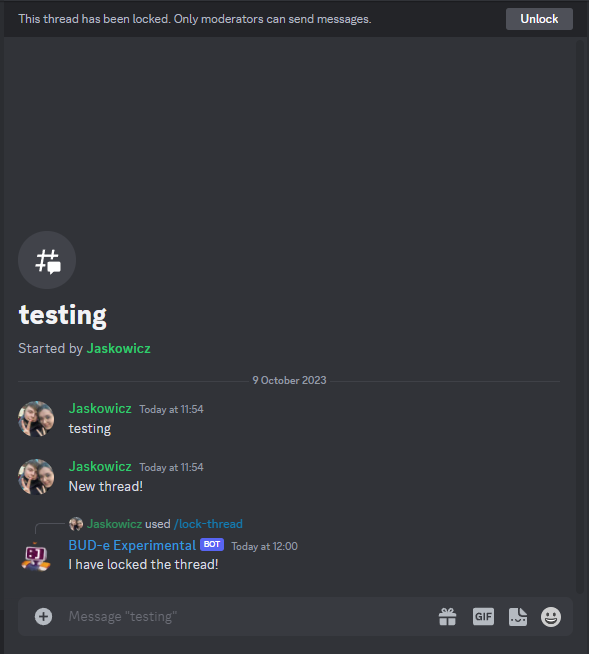
Once you've ran that, you'll see that you were successfully able to lock a thread!